How to Share Your Faculty Notification Letters
A step-by-step guide for sharing your approved accommodations with instructors each semester
To use your approved accommodations, you’ll need to share your Faculty Notification Letters with your instructors each semester.
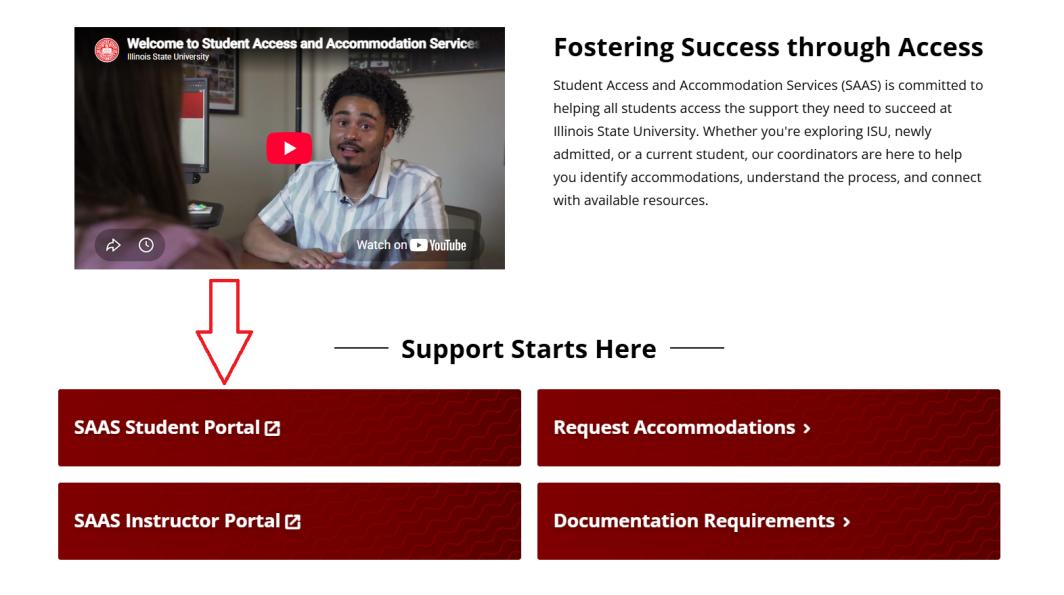
1. Select the SAAS Student Portal
Start by selecting the SAAS Student Portal on the SAAS homepage.
2. Locate Accommodation Requests
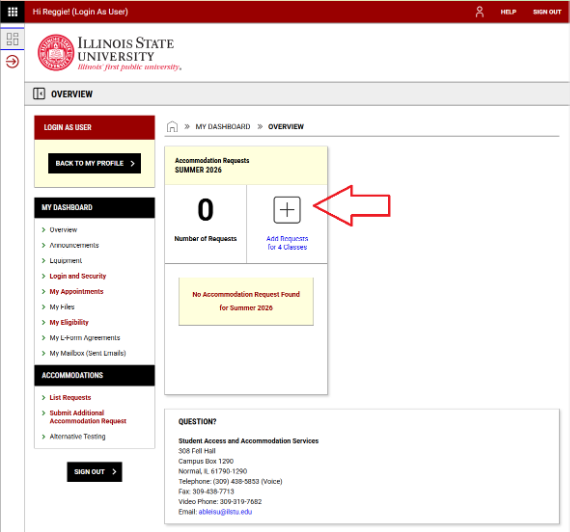
On your dashboard, locate the Accommodation Requests box for the current semester and select Add Requests.
3. Select Courses
On the next page, choose the courses where you want to use your accommodations. Select Continue to Next Step.
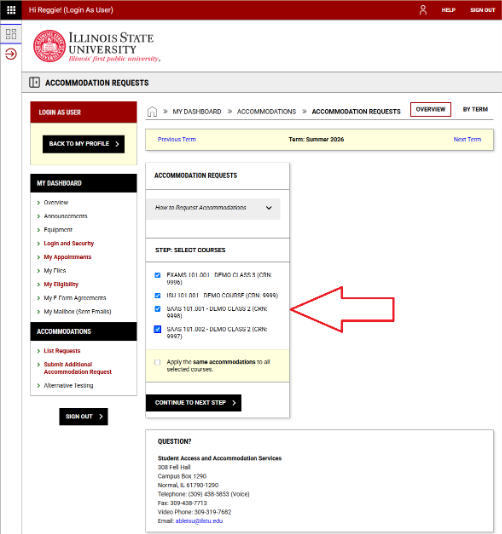
You may select Apply the Same Accommodations to All Selected Courses if you want your accommodations to be the same for all selected courses. If you want to customize them, leave this box unchecked.
4. Finalize your Accommodation Selections
You will then see each course listed with your approved accommodations. For each course, select the accommodations you would like to use. When you are finished, select Submit Request.
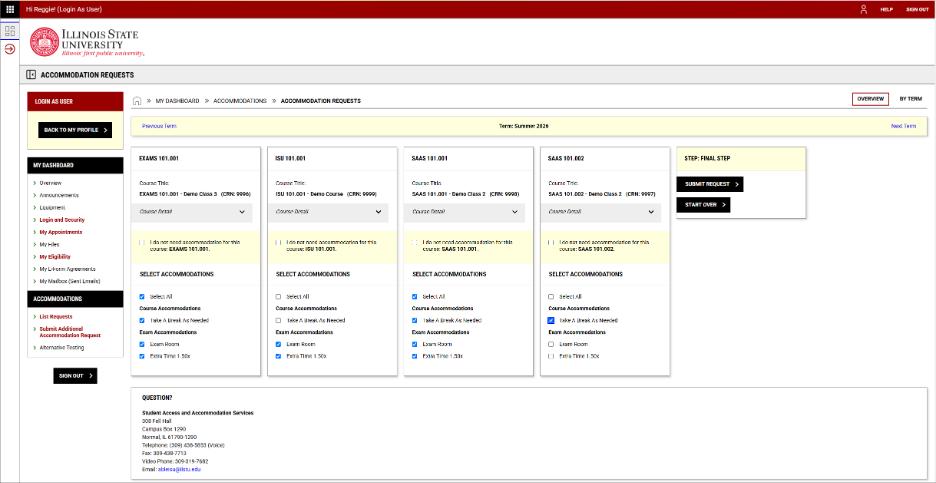
This will send your Faculty Notification Letters to your instructors through the SAAS Portal.
We also encourage you to reach out to your instructors to introduce yourself and talk about how your accommodations will support your success in the course.
Important Reminders
- Your accommodations can be used only after the above steps are completed
- Letters are released to instructors 10 days before the semester begins, or immediately if the semester is already in progress.
- If you have questions or need support, please contact your SAAS Coordinator. We’re here to help