SAAS Instructor Portal Resources
Use this guide to access the SAAS Instructor Portal, review accommodation requests, and locate exam and Flex Plan resources.
What is the SAAS Portal?
Through the SAAS Student Portal, students can request accommodations, share Faculty Notification Letters (FNLs), schedule exams, and access support options such as note-taking and/or e-text. The SAAS Instructor Portal provides instructors with a centralized location to view student accommodations and review requests, reducing the need to rely on email alone.
How to Access the Instructor Portal
- You can access the Instructor Portal from the SAAS website.
- Open the SAAS Instructor Portal.
- Log in using your My Illinois State credentials.
- Complete the authentication process when prompted.
The SAAS Instructor Portal enables instructors to:
- View lists of students who have requested accommodations in course(s).
- Review Faculty Notification Letters (FNLs) from a central location without searching through email.
- Complete exam instructions.
Overview Page
The Overview page serves as the landing page for instructor accommodation information.
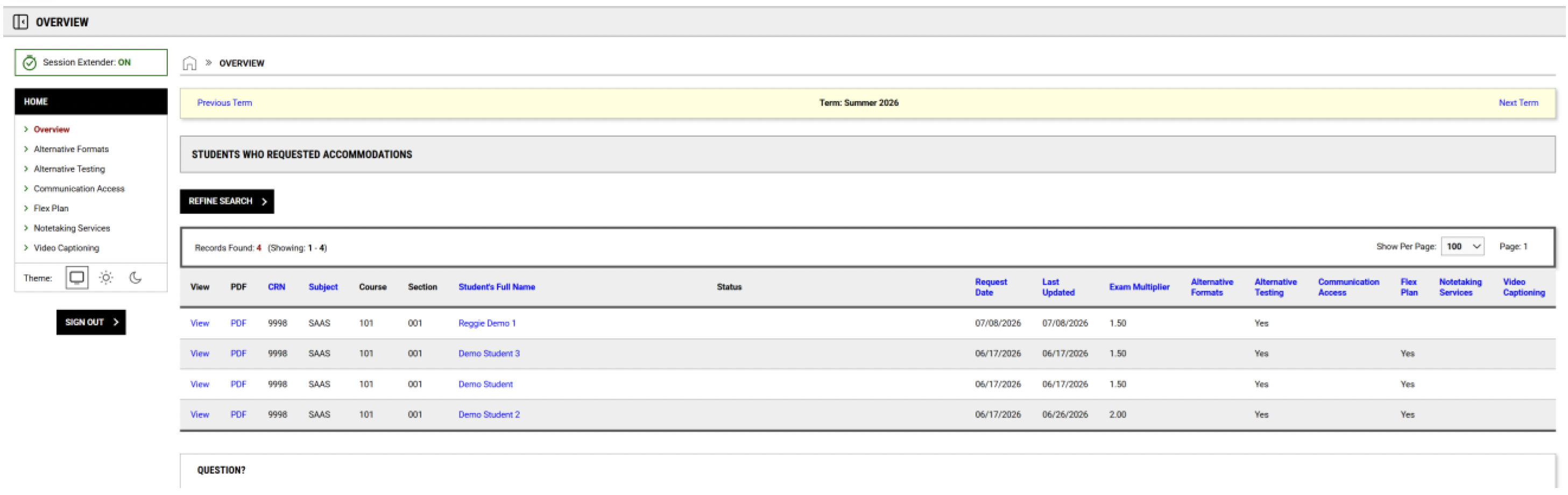
Overview Page: Accommodation Request Listing
Previously, instructors received an email with the Faculty Notification Letter attached. The Instructor Portal now provides a streamlined process to view student accommodations in one place.

Portal Menu Overview
The menu provides access to key areas of the Instructor Portal:
-
Overview
Purpose: Landing page that lists students who have requested accommodations for the selected semester.
-
Alternative Testing
Purpose: Upload exams, view exams, and manage testing accommodations.
-
Flex Plans
Purpose: View Flex Plan requests for students in your courses for the selected semester, including Flexible Attendance and Flexible Assignment Deadlines.
Exams and Flex Plan Resources
For detailed instructions on setting up exams and submitting a Flex Plan, use the following Instructor Resources:
If you have any questions or concerns, please reach out to our office at (309) 438-5853 or ableisu@ilstu.edu